
# Passkeys
# Preamble
For convenience Psono's extensions offers the possibility to store passkeys and use them to login to other websites. This article will explain how the mechanism works. You need the browser extension of Psono installed in your browser and be logged in to it.
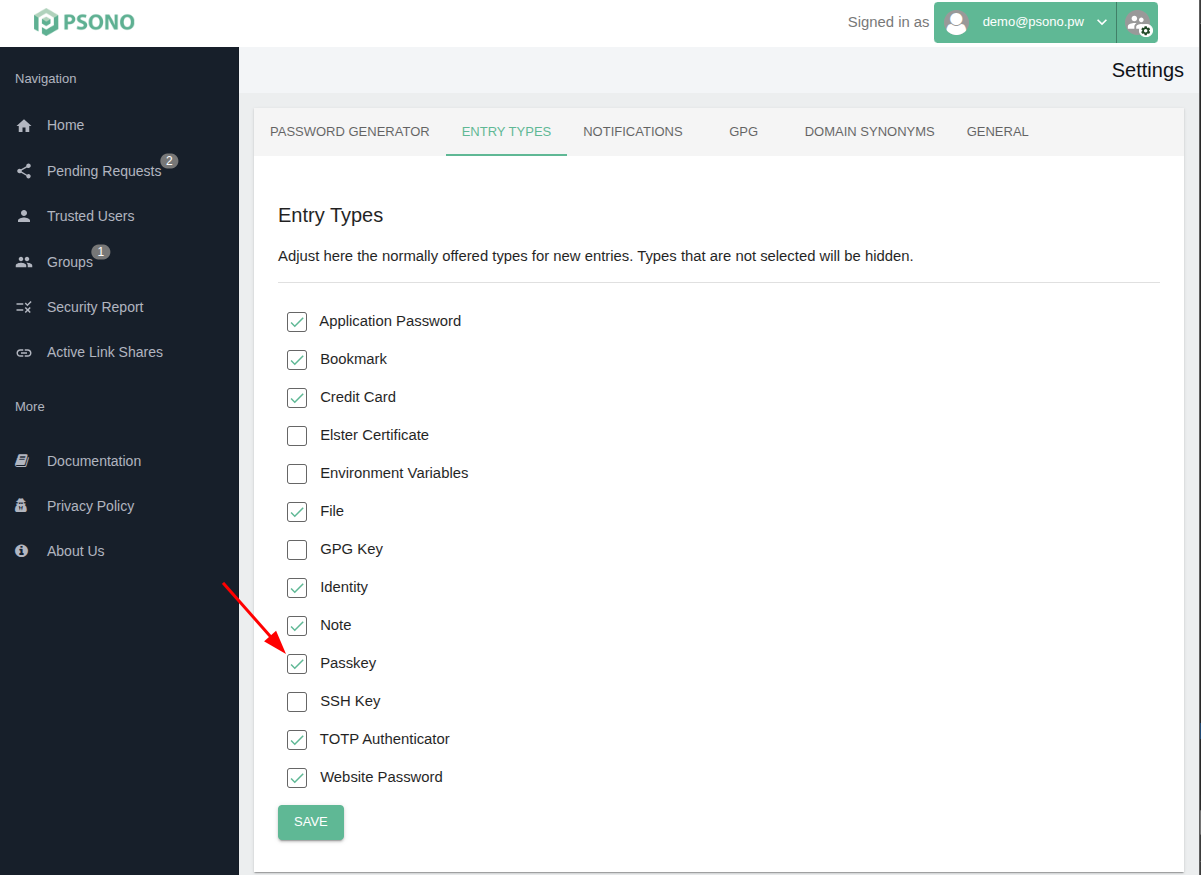
# Enable passkeys in Psono
This is mandatory for both creation and usage of passkeys later.
Click on the the username in the green box at the top right of the screen.
Go to Settings
Select "Entry Types" tab
Check the checkbox next to "Passkey"
# Creation of a passkey
Start the creation of a new passkeys on the website of your choice.
There should be a bar showing up at hte top of the screen. Click "Allow"

- You should have now a passkeys stored in your datastore.
# Usage of passkeys
Start the login to the website that you previously created a passkey for.
There should be a bar showing up at hte top of the screen. Click "Allow"

- You should be logged in now.