
# Language Selection
You can choose the language used for menus, buttons, and other interface text in the Psono webclient.
# Change the interface language
Log in to the webclient.
Click on your username at the top right and select Settings.
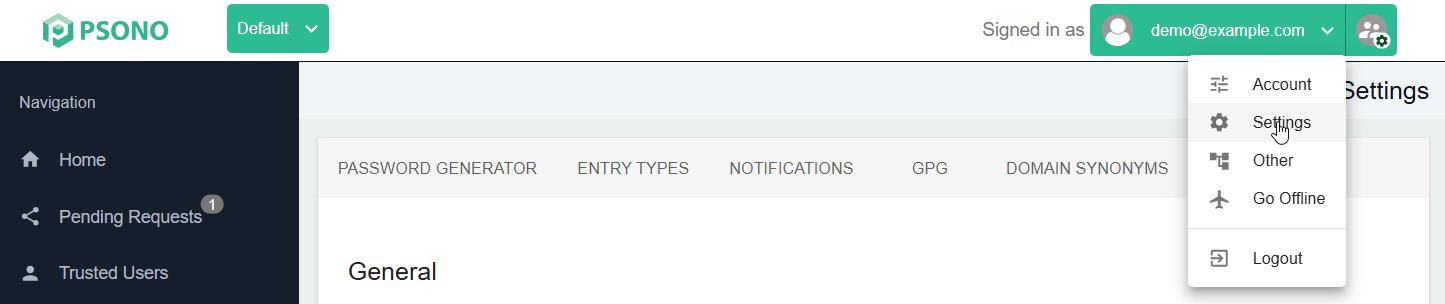
Open the General tab.
Open the Language dropdown and select your preferred language. You can type in the field to filter the available languages. Languages are listed by their native names, for example English, Deutsch, or Français.
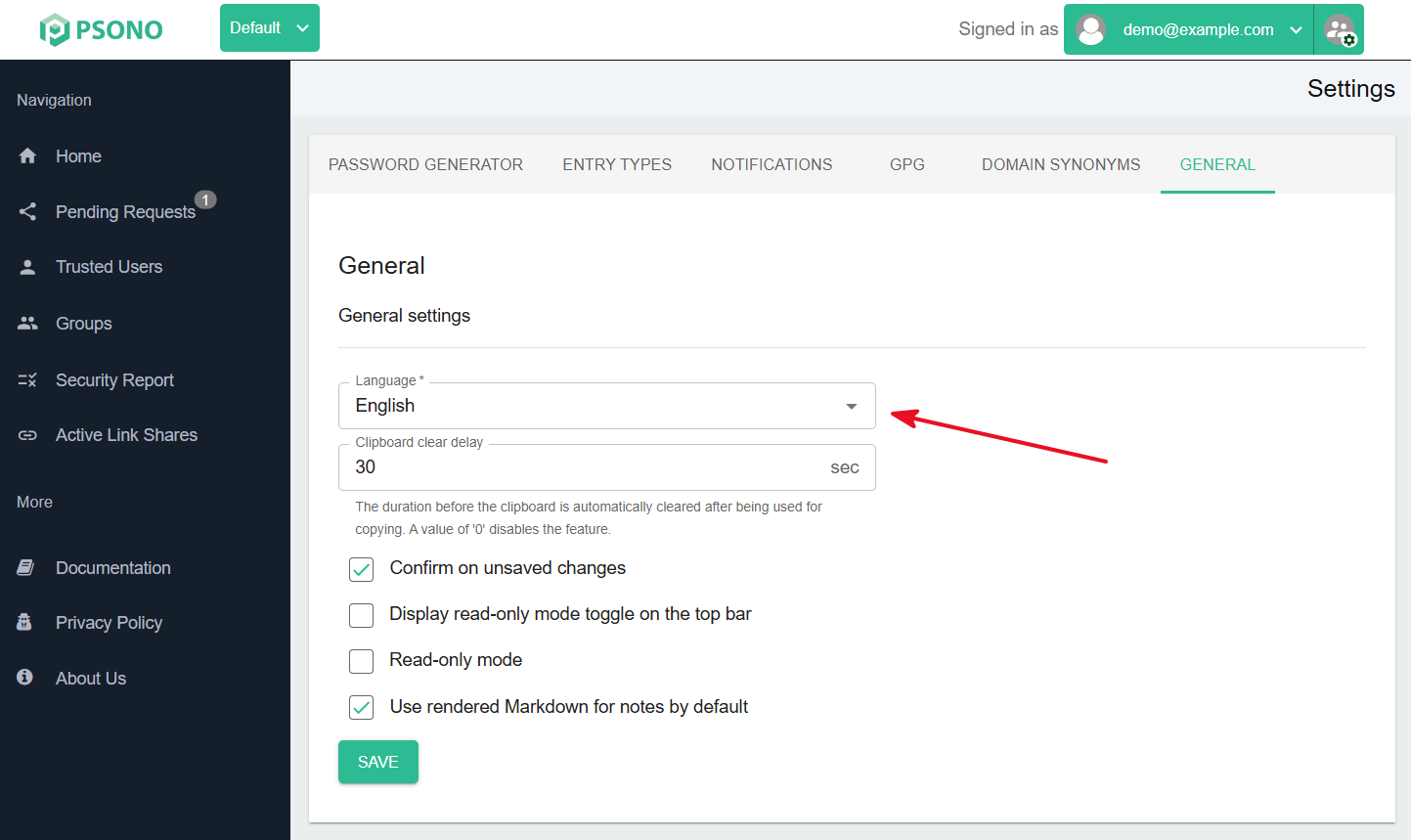
The interface changes immediately, and Psono saves the selection to your account automatically. You do not need to click Save for this setting. Psono applies your saved language when you log in again.
# Supported languages
The following interface languages are available in the Language dropdown:
| Language | Name shown in the dropdown |
|---|---|
| Bengali | বাংলা |
| Catalan | Català |
| Chinese (Simplified) | 简体中文 |
| Chinese (Traditional) | 繁體中文 |
| Czech | Česky |
| Danish | Dansk |
| Dutch | Nederlands |
| English | English |
| Finnish | Suomi |
| French | Français |
| German | Deutsch |
| Hindi | हिंदी |
| Hungarian | Magyar |
| Italian | Italiano |
| Japanese | 日本語 |
| Korean | 한국어 |
| Norwegian | Norsk |
| Polish | Polskie |
| Portuguese (Portugal) | Portuguese |
| Portuguese (Brazil) | Portuguese (BR) |
| Russian | Русский |
| Spanish | Español |
| Swedish | Svenska |
| Ukrainian | Український |