# Security Reports
Security reports give administrators an overview of their users' password hygiene without exposing the actual passwords.
Users generate the reports in their client and can send the results to the server. Administrators can inspect the uploaded
reports in the admin portal under Security Reports.
TIP
Users can normally decide whether to send a security report to the server. Enterprise Edition administrators can enforce central and recurring security reports.
# Overview
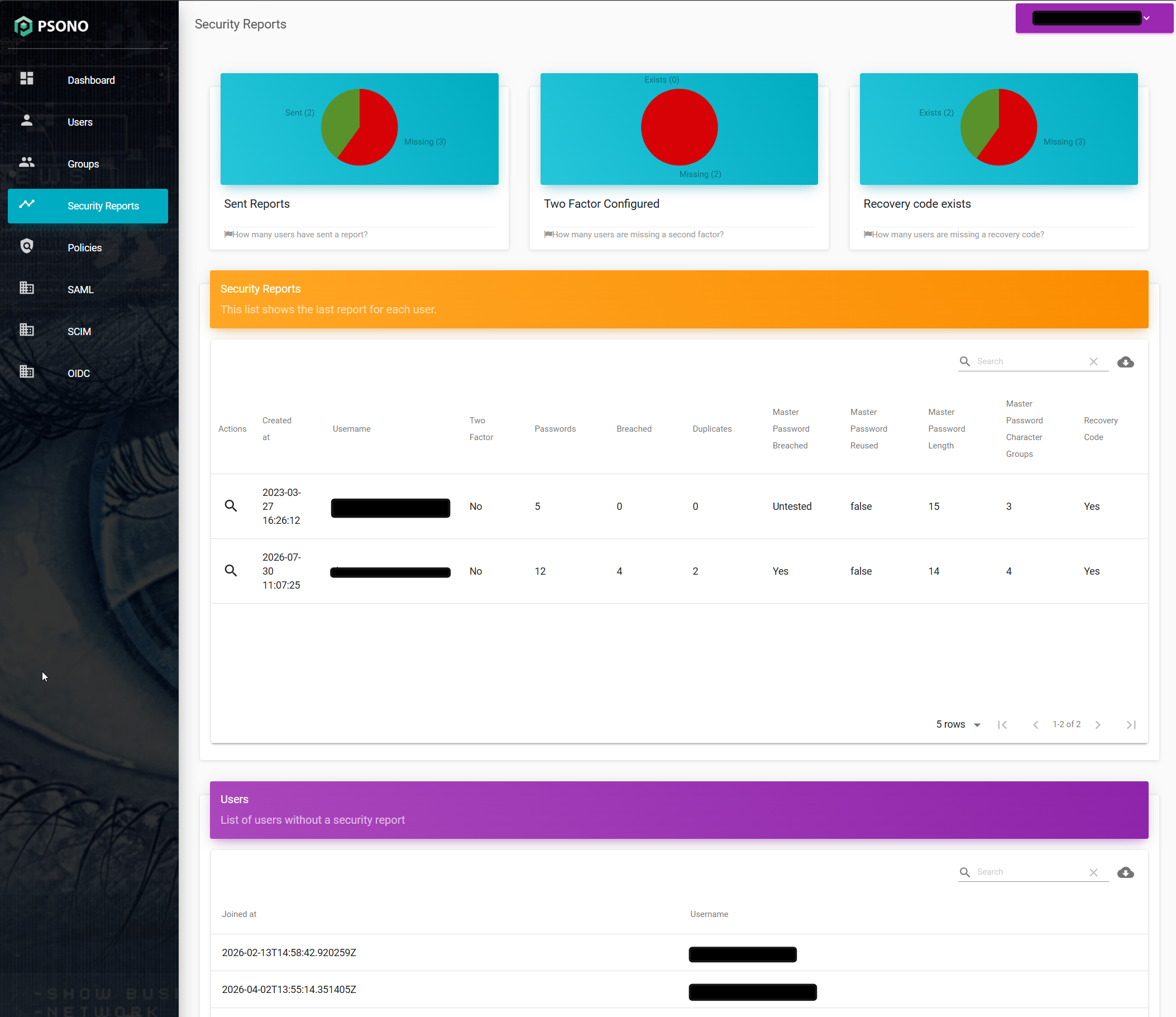
The overview shows how many users have submitted a report and how many are still missing one. It also summarizes the number of users with two-factor authentication and recovery codes configured.
The report table contains the most recent report from each user. It shows:
- when the report was created;
- whether two-factor authentication and a recovery code are configured;
- the total number of analyzed passwords;
- the number of breached and duplicate passwords;
- whether the master password was checked, breached, or reused; and
- the master password's length and number of character groups.
The separate user list below the reports identifies accounts that have not submitted a security report. Use the magnifying
glass in the Actions column to inspect an individual report.
# Report Details
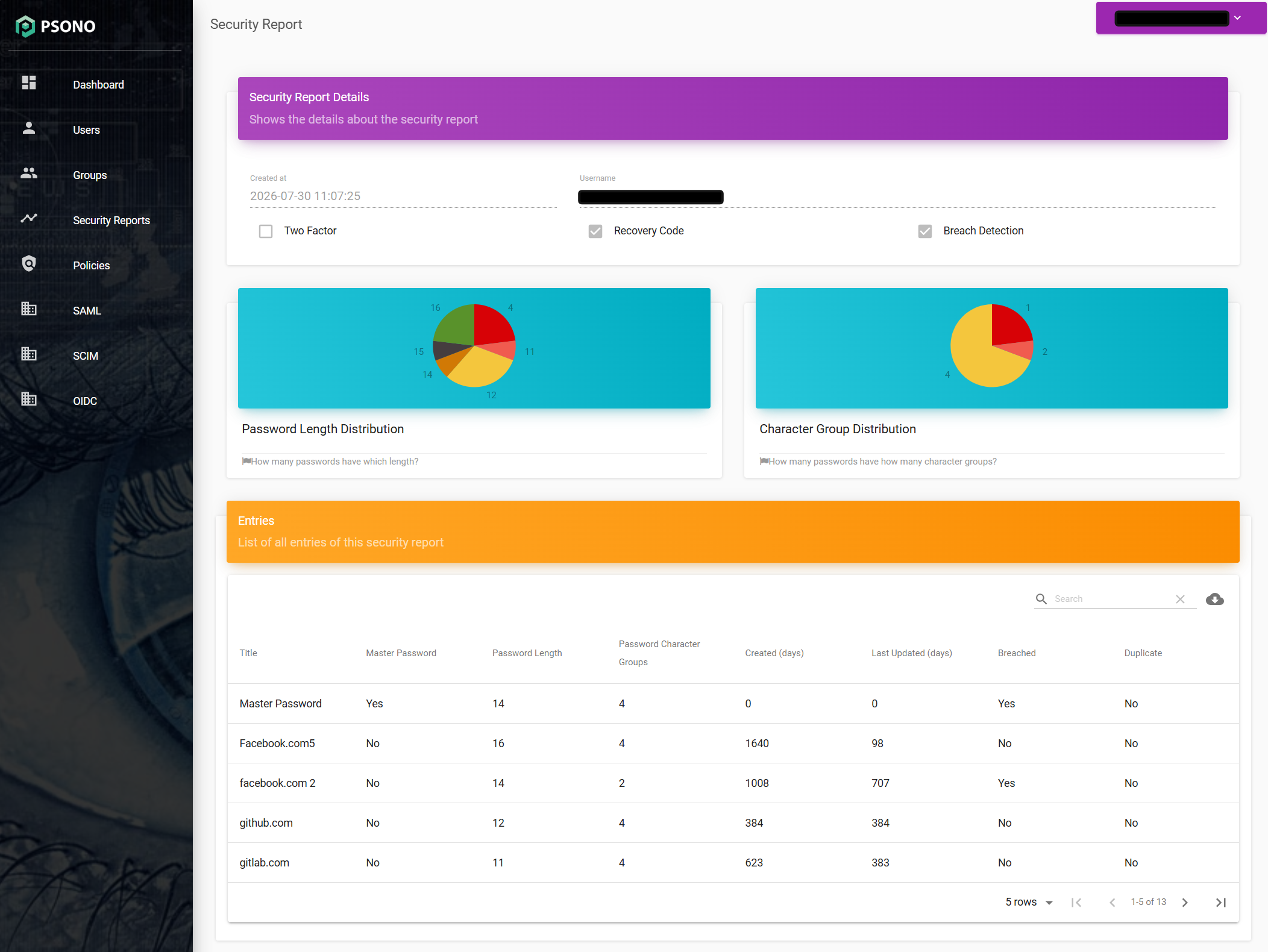
An individual report starts with its creation date and the user's security status. The Breach Detection field indicates
whether the report checked passwords against the breach database. The charts summarize password lengths and the number of
character groups used by the analyzed passwords.
The entries table provides the information needed to identify passwords that should be improved:
- the entry title and whether it represents the master password;
- password length and the number of character groups;
- age and time since the password was last updated, in days;
- whether the password was found in a known breach; and
- whether the same password is used by another entry in the report.
The report contains only these findings and metadata. It does not give the administrator access to the users' actual passwords.